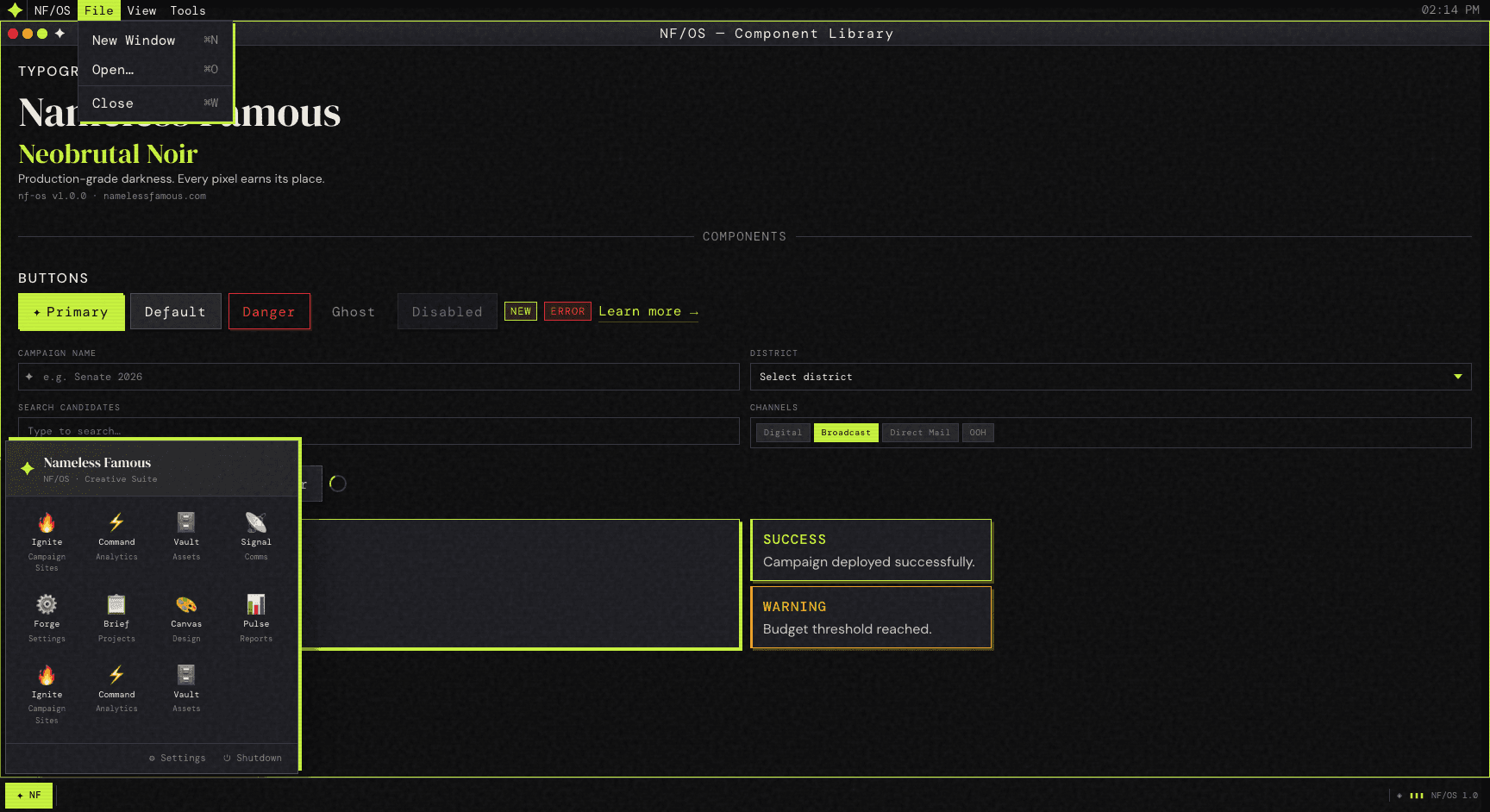
brutnoir-os
Production-grade darkness.
Neobrutal Noir React design system inspired by vintage desktop UX (Mac OS + Windows 95) with modern dark aesthetics. Every pixel earns its place.
npm install @namelessfamous/brutnoir-os react react-dom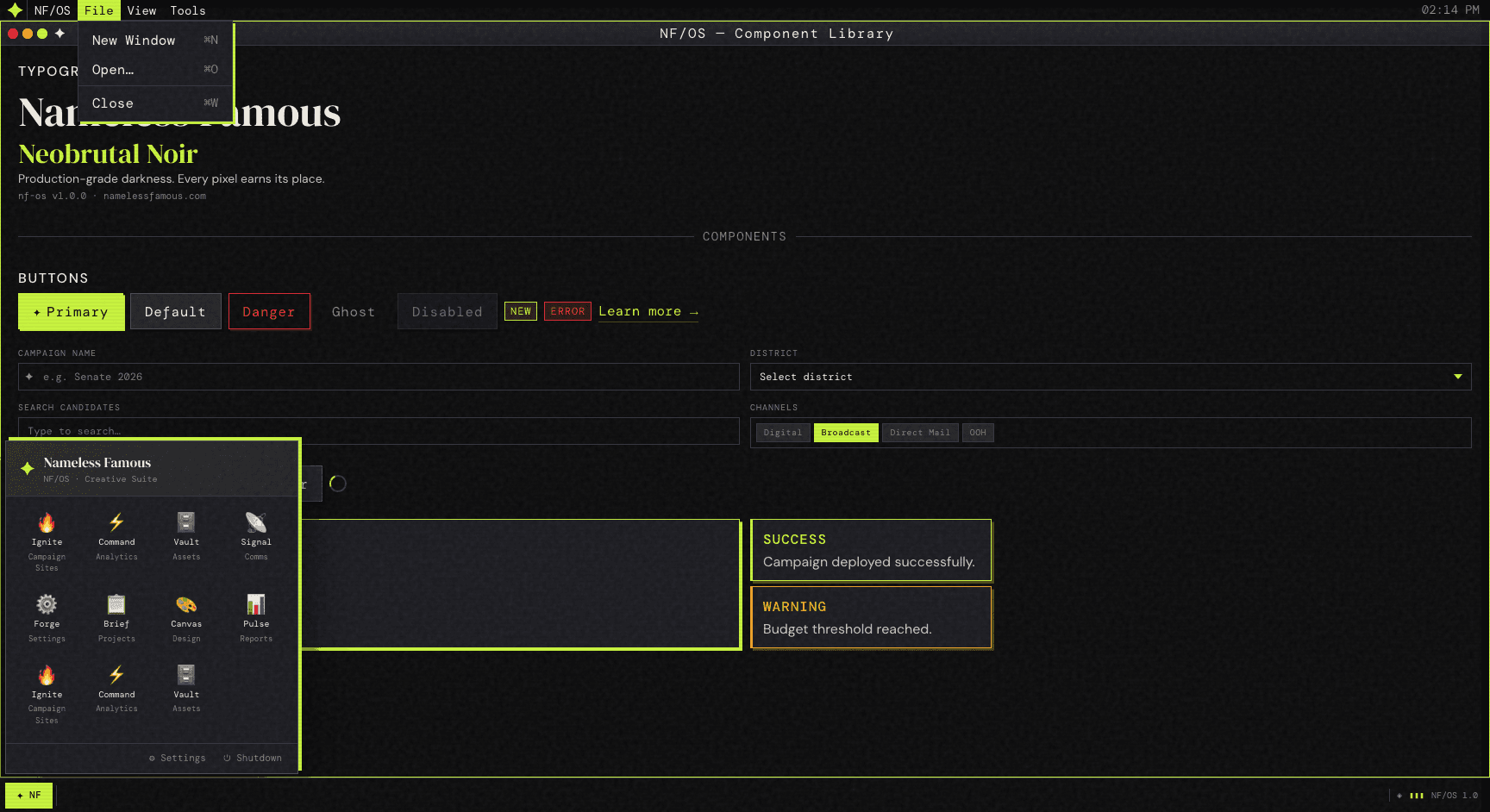
Built for Production
Draggable Windows
Fully draggable and resizable windows with Mac OS-style chrome. Desktop shell with menu bar and dock/start menu.
Design Tokens
Comprehensive token system with colors, typography, shadows, and spacing. Global style injector included.
TypeScript First
Ships with complete type declarations. Built for strict TypeScript projects with full IDE support.
Complete UI Kit
Typography, primitives, forms, overlays, menus. Everything you need to build complex interfaces.
Style Props
Components expose style and className props for local customization. Inline styles for maximum control.
React Hooks
Programmatic window control and notification system via useScreen() hook. Context-based state management.
Quick Start
Get up and running in minutes
import { useState } from "react";
import {
  Screen,
  Window,
  Header,
  Text,
  Button,
  Modal,
  Input,
} from "@namelessfamous/brutnoir-os";

export default function App() {
  const [open, setOpen] = useState(false);

  return (
    <Screen>
      <Window
        id="welcome"
        title="NF/OS — Welcome"
        icon="✦"
        defaultX={64}
        defaultY={40}
        defaultWidth={560}
        defaultHeight={380}
      >
        <div style={{ padding: 20, display: "grid", gap: 12 }}>
          <Header level={2} accent>
            Neobrutal Noir
          </Header>
          <Text muted>
            Production-grade darkness. Every pixel earns its place.
          </Text>
          <Button variant="primary" onClick={() => setOpen(true)}>
            Open Modal
          </Button>
        </div>
      </Window>

      <Modal
        open={open}
        onClose={() => setOpen(false)}
        title="Create Project"
        footer={<Button onClick={() => setOpen(false)}>Close</Button>}
      >
        <Input label="Project Name" placeholder="e.g. Ignite 2026" />
      </Modal>
    </Screen>
  );
}
Complete Component Library
Layout
- → Screen
- → Window
- → MenuBar
- → ScreenDock
Typography
- → Header
- → Text
- → Icon
Primitives
- → Button / ButtonLink
- → Badge
- → Spinner
- → Card
- → Divider
Forms
- → Input
- → Select
- → MultiSelect
- → Typeahead
Overlays
- → Modal
- → Notification
- → Popover
Menus
- → MenuDropdown
- → MenuItem
- → MenuDivider
Design Philosophy
BrutalismRaw, honest, functional. No unnecessary decoration. Sharp edges and bold shadows that demand attention.
NoirDeep, atmospheric darkness. A carefully crafted palette where every shade serves a purpose.
NostalgiaInspired by the golden age of desktop computing. Mac OS elegance meets Windows 95 personality.
ModernBuilt with React, TypeScript, and modern web standards. Vintage aesthetics with contemporary engineering.
Start Building
Open source. MIT licensed. Ready for production.
Built by Nameless Famous — Defining creative.